
20 React Native Project Ideas for Developers in 2026 (Beginner to Advanced) A well-designed React Native project teaches much more than coding syntax. You’ll learn how to work with APIs, handle errors, structure code, manage app state, design user experiences, and think like a product developer rather than a student.
You don’t need to start with a complex social network or an AI-powered app. Many successful developers landed their first opportunities after building simple but polished applications.
This guide covers 20 practical React Native project ideas, organized from beginner to advanced, with a focus on skills that employers actually value.
Table of Contents
- Why Build React Native Projects?
- Beginner React Native Project Ideas
- Intermediate React Native Projects
- Advanced Full-Stack React Native Projects
- AI-Powered React Native App Ideas
- How to Choose the Right Project
- Common Portfolio Mistakes
- Frequently Asked Questions
- Final Thoughts
Beginner React Native Project Ideas
If you’re new to React Native, focus on projects that teach core fundamentals:
- Components
- Navigation
- State management
- API integration
- Local storage
- Responsive layouts
Don’t worry about building the next unicorn startup. Your goal is to understand how mobile apps work from end to end.
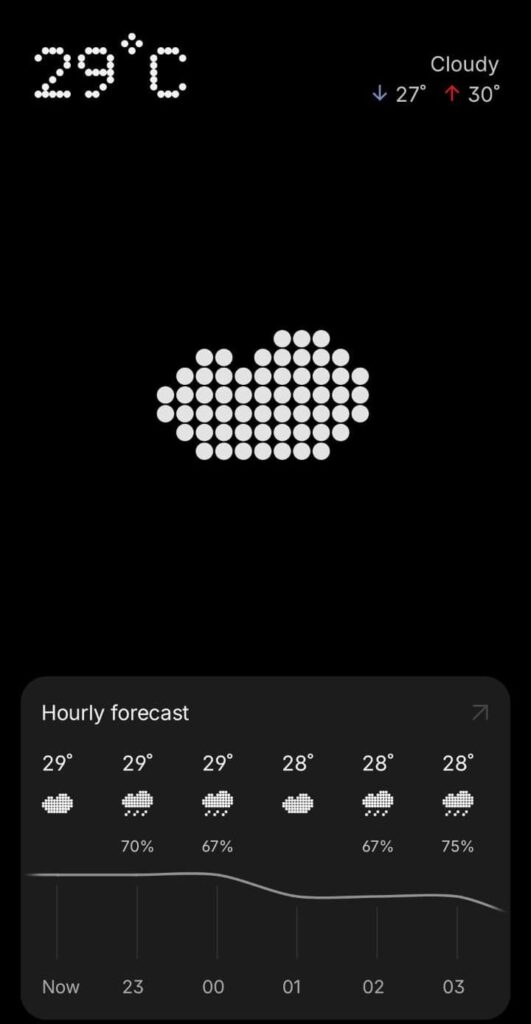
1. Weather App
Why This Project Is Worth Building
The weather app remains one of the best React Native project ideas for beginners because it combines several essential development concepts without becoming overwhelming.
Features to Include
- Current weather conditions
- 7-day forecast
- Location detection
- Search by city
- Dark mode
- Animated weather icons
Skills You’ll Learn
- REST API integration
- Device location services
- Loading states
- Error handling
- User permissions
Real-World Upgrade
Most beginner weather apps stop at displaying temperature.
To make yours portfolio-worthy, add weather alerts, hourly forecasts, and location caching for offline viewing.
2. Expense Tracker & Budget Planner
Money management apps are useful because people genuinely use them.
A budgeting app introduces local data storage and teaches you how to organize information in a meaningful way.
Features
- Add and categorize expenses
- Monthly spending summaries
- Budget limits
- Visual spending charts
- Export reports
Recommended Tools
- AsyncStorage
- SQLite
- React Context API
Portfolio Tip
Instead of using dummy data, track your own expenses for a few weeks. Real data often reveals usability issues you wouldn’t notice otherwise.
3. Habit Tracker with Streaks
Habit tracking apps seem simple at first, but they’re excellent for learning user engagement techniques.
Features
- Daily habits
- Streak tracking
- Progress history
- Achievement badges
- Reminder notifications
What Makes It Interesting?
Users quickly lose motivation if streak calculations are inaccurate.
Building a reliable streak system teaches date handling, persistence, and edge-case management.
Common Mistake
Many developers focus on recording habits but forget notifications. In reality, reminders are often the feature users interact with most.
4. Recipe Finder App
This project teaches API integration while solving a practical problem.
Features
- Search recipes
- Filter by ingredients
- Save favorites
- Nutrition details
- Cooking instructions
APIs to Explore
- Spoonacular
- Edamam
- TheMealDB
Real-Life Use Case
Imagine having eggs, tomatoes, and cheese at home. Your app could suggest meals based on those ingredients instead of requiring users to search manually.
That small improvement immediately makes the app feel more useful.
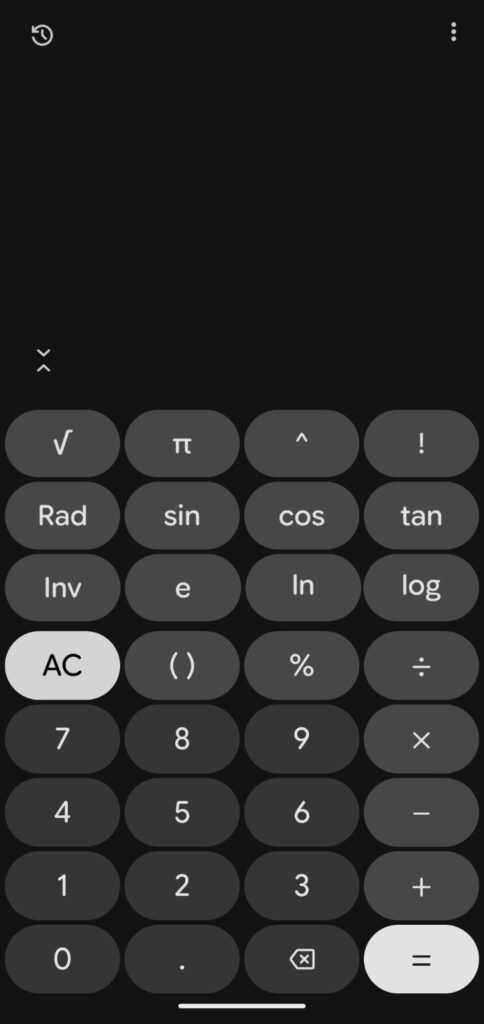
5. Scientific Calculator with Haptic Feedback
A calculator may sound basic, but adding advanced functionality creates a surprisingly polished project.
Features
- Scientific operations
- Calculation history
- Theme switching
- Haptic feedback
- Memory functions
Skills Learned
- Complex state updates
- Mathematical logic
- Device interaction APIs
Why Recruiters Notice It
Many calculator projects are copied from tutorials. Adding thoughtful touches such as haptic responses and calculation history demonstrates attention to user experience.
Intermediate React Native Projects
Once you’re comfortable with the fundamentals, it’s time to tackle projects that involve authentication, databases, media handling, and real-time updates.
These projects start to resemble production applications.
6. Fitness & Workout Tracker
Fitness apps combine data tracking, notifications, and visualization.
Features
- Workout logging
- Exercise library
- Goal tracking
- Progress charts
- Daily reminders
Skills You’ll Gain
- Local notifications
- Data visualization
- User progress tracking
- Health-focused UX design
Practical Enhancement
Allow users to upload progress photos and compare them over time. This adds a meaningful feature while teaching image management.
7. E-Commerce Storefront
E-commerce remains one of the most requested mobile app categories for freelancers and agencies.
Features
- Product listings
- Search and filters
- Shopping cart
- Checkout flow
- Payment integration
- Order history
Technologies
- Stripe
- Firebase
- Redux Toolkit
- Supabase
What Employers Like
This project demonstrates business logic, user authentication, payment workflows, and state management in a single application.
8. Real-Time Chat Application
Messaging apps introduce real-time communication and cloud infrastructure.
Features
- Direct messages
- Group chats
- Typing indicators
- Read receipts
- Media sharing
Technologies
- Firebase Firestore
- WebSockets
- Socket.IO
Lessons You’ll Learn
Building chat apps teaches something every developer eventually encounters: data synchronization across multiple users.
9. Music & Audio Player
Audio applications introduce challenges many developers never experience until working professionally.
Features
- Playlists
- Background playback
- Lock-screen controls
- Audio progress tracking
- Offline downloads

Tools
- Expo AV
- React Native Track Player
Real Development Challenge
The difficult part isn’t playing audio.
It’s ensuring playback continues correctly when the user switches apps, locks their phone, or receives a call.
10. Crypto & Stock Portfolio Dashboard
This project focuses on real-time data and dashboard design.
Features
- Watchlists
- Portfolio tracking
- Price alerts
- Interactive charts
- Live updates
Skills Learned
- WebSocket connections
- Data visualization
- Performance optimization
Important Note
If you include investment-related information, clearly state that data is informational and not financial advice.
Advanced React Native Full-Stack Projects
These projects closely resemble commercial applications used by real customers. Completing even one of them can significantly strengthen your React Native mobile app portfolio.
11. Food Delivery App (Swiggy/Uber Eats Style)
Food delivery apps combine several complex systems into one product.
Features
- Restaurant browsing
- Cart management
- Payments
- Live order tracking
- Push notifications
Technologies
- Google Maps API
- Firebase
- Stripe
- Node.js Backend
What You’ll Learn
- Real-time location updates
- Order workflows
- Scalable architecture
This type of project demonstrates that you can manage multiple moving parts simultaneously.
12. Social Media App (Instagram or TikTok Style)
Social platforms require both technical and product-thinking skills.
Features
- User profiles
- Media uploads
- Video feeds
- Likes and comments
- Follow system
Skills Learned
- Media optimization
- Infinite scrolling
- Feed algorithms
- Cloud storage
Reality Check
Video-heavy apps often expose performance bottlenecks quickly, making them excellent learning experiences.
13. Ride-Sharing App
A ride-booking platform introduces location-based services and route management.
Features
- Ride requests
- Driver tracking
- Fare estimates
- Trip history
- Secure payments
Key Technologies
- Google Maps
- Geolocation APIs
- Firebase
- WebSockets
Why It’s Valuable
Location-based applications are common across industries, not just transportation.
14. Smart Home Automation Dashboard
IoT devices continue expanding into homes and businesses.
Features
- Device monitoring
- Remote controls
- Usage analytics
- Scheduled automation
Skills Learned
- Real-time communication
- Dashboard UX
- API integrations
Example
Users could turn off lights, adjust thermostats, or monitor security cameras directly from their phones.
15. Multi-Room Video Conferencing App
This is one of the most technically challenging React Native projects you can build.
Features
- Video calls
- Screen sharing
- Meeting rooms
- Live chat
- Participant controls
Technologies
- WebRTC
- Agora SDK
- Socket.IO
Portfolio Impact
Few junior developers attempt video conferencing applications. Successfully building one immediately differentiates your portfolio.
AI-Powered React Native App Ideas
AI features are rapidly becoming part of mainstream applications rather than standalone products. The projects below help you explore modern development trends while building practical skills.
16. AI Photo Editor & Document Scanner
Features
- Background removal
- OCR scanning
- Image enhancement
- Object detection
Skills Learned
- Computer vision
- Mobile machine learning
- Image processing
Real Use Case
Students could scan notes while businesses could digitize invoices.
17. AI Voice Assistant & Translator
Voice interfaces continue improving thanks to advances in speech recognition and language models.
Features
- Voice commands
- Language translation
- AI conversations
- Text-to-speech responses
Technologies
- Speech-to-Text APIs
- LLM APIs
- Text-to-Speech engines
Practical Example
Travelers could ask questions in one language and receive translations instantly.
18. E-Learning App with Offline Learning
Educational apps remain one of the largest categories in mobile marketplaces.
Features
- Video courses
- Downloadable lessons
- Quizzes
- Certificates
- Learning analytics
Skills Learned
- Video streaming
- Offline synchronization
- User progress tracking
Real Value
Offline learning is especially useful in areas with unstable internet connectivity.
19. Real-Time Multiplayer Board Game
Games introduce a unique set of technical challenges.
Features
- Multiplayer gameplay
- Matchmaking
- Rankings
- Spectator mode
- In-game chat
Technologies
- Socket.IO
- Firebase
- Reanimated
Examples
- Chess
- Ludo
- Checkers
- Tic-Tac-Toe
What You’ll Learn
Keeping multiple devices synchronized in real time is an invaluable engineering skill.
20. AR/VR Product Showcase Platform
Augmented and virtual reality continue gaining adoption in retail and product visualization.
Features
- 3D product viewing
- AR placement
- Interactive walkthroughs
- Virtual showrooms
Technologies
- ARKit
- ARCore
- Meta Quest
Industries Using This Technology
- Furniture retail
- Real estate
- Automotive sales
- Interior design
How to Choose the Right React Native Project
The best project isn’t necessarily the most advanced.
Choose something that matches your current skill level while stretching your abilities slightly.
If You’re a Beginner
Start with:
- Weather App
- Habit Tracker
- Expense Tracker
If You’re Building a Portfolio
Focus on:
- Chat Application
- E-Commerce Store
- Fitness Tracker
If You’re Preparing for Senior Roles
Consider:
- Food Delivery App
- Social Media Platform
- Video Conferencing App
If You Want to Explore Emerging Technologies
Build:
- AI Assistant
- AI Photo Editor
- AR Product Showcase
One polished project is often more valuable than five unfinished ones.
Common Portfolio Mistakes Developers Make
Building Tutorial Clones Only
Hiring managers can often recognize projects copied directly from YouTube tutorials. Add your own features and improvements.
Ignoring Error Handling
Users care less about perfect conditions and more about how an app behaves when something goes wrong. Handle network failures, API errors, and invalid inputs gracefully.
Neglecting Performance
A feature-rich app that feels slow creates a poor impression. Optimize images, reduce unnecessary renders, and test on lower-end devices.
Skipping Deployment
A working demo is far more convincing than screenshots. Whenever possible, provide:
- APK builds
- TestFlight access
- Expo demos
- Live backend deployments
Overengineering Early Projects
Many developers abandon projects because they try to build everything at once. Start with a simple version and iterate.
Frequently Asked Questions
Which React Native project is best for beginners?
Weather apps, habit trackers, and expense trackers are excellent starting points because they combine practical functionality with manageable complexity.
What React Native projects impress recruiters the most?
Projects that include authentication, APIs, payments, databases, and real-world business logic generally stand out. Examples include e-commerce apps, chat applications, ride-sharing apps, and social platforms.
Should I use Expo or React Native CLI in 2026?
For most projects, Expo provides a faster and more productive development experience. React Native CLI becomes useful when you require deeper native integrations or custom native modules.
How many React Native projects should be in a portfolio?
Three to five polished projects typically outperform a portfolio filled with unfinished applications. Quality matters more than quantity.
Are AI-powered React Native apps worth building?
Absolutely. AI features such as voice assistants, image recognition, document scanning, and personalized recommendations are becoming increasingly common across mobile applications. Developers with AI integration experience are likely to have an advantage as demand continues to grow.
Final Thoughts
The strongest React Native portfolios aren’t built around flashy ideas—they’re built around completed products. A simple expense tracker that works flawlessly often teaches more than a half-finished social media clone. As your skills grow, you can move into real-time systems, payments, AI integrations, and large-scale full-stack applications. Start with a project that genuinely interests you. Finish it. Improve it based on feedback. Then build the next one.
By the end of that process, you’ll have something far more valuable than another completed course: a collection of real applications that prove you can design, build, and ship mobile products using React Native.
Read about Top 50 React Native Interview Questions & Answers (2026) – knowabteverything
Top Supabase Interview Questions and Answers (2026) – knowabteverything
Follow github for looking project GitHub · GitHub

About Amish
Hi, I’m Amish, and developer.
I write practical React Native, Node.js, MongoDB, and Supabase tutorials based on real projects and testing.