Building a Multi-Platform React App with Capacitor (Web Mobile & Admin) I’m building a local meetup app, and early on I ran into a problem that a lot of solo/small-team projects hit: the app genuinely needs three different user experiences, but I didn’t have the team (or the time) to build three separate apps.
Here’s how I ended up with one React codebase that serves all three — and the specific problems that came with making that work well, instead of just badly.
The problem: three experiences, one small team
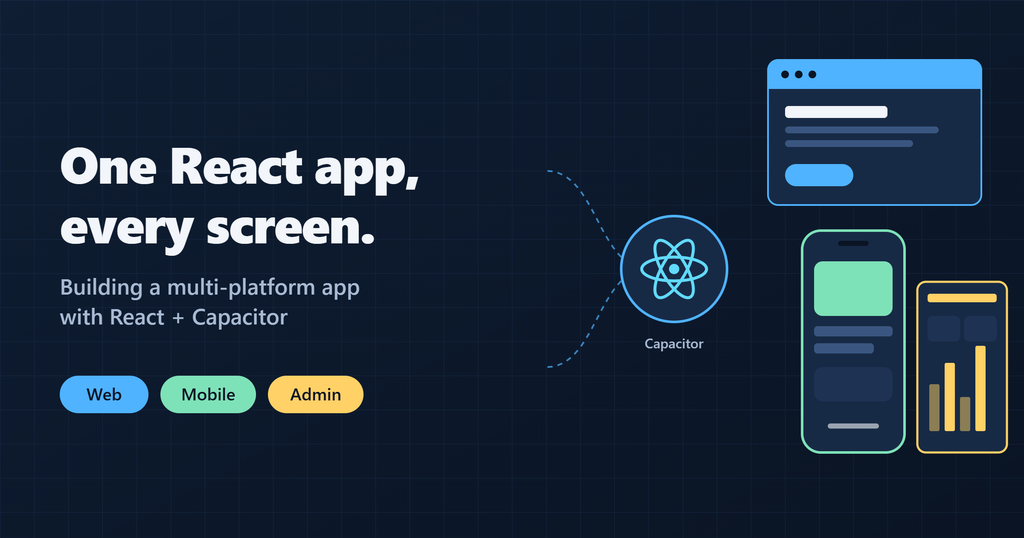
A safety-focused local meetup platform ends up needing three genuinely different interfaces:
- Desktop web — a wide-screen, multi-column layout with sidebars, built for browsing and multitasking.
- Native mobile — a thumb-driven consumer experience with bottom tabs, swipe sheets, and minimal clutter, since that’s how people actually use a social app day to day.
- A safety/admin console — dense data tables, audit logs, incident monitoring, and verification workflows for the moderation side of things.
The obvious path is three separate codebases — a React web app, a React Native or Flutter mobile app, and maybe a Next.js admin dashboard. For a solo developer or small team, that’s three repositories, three CI/CD pipelines, and three build systems to keep in sync. Feature velocity grinds to a crawl fast, and worse, it’s easy for the API contract to drift between them — a response shape changes on the backend, and now you’re updating three separate client implementations instead of one.
Why not just responsive CSS? That’s usually the first instinct — one set of components, some hidden md:flex Tailwind classes, done. It works for a marketing site. It falls apart on a real app: an admin console should never even be reachable on a phone, and cramming a desktop three-column layout into a mobile drawer with visibility classes produces bloated DOM trees, messy state bugs, and slow rendering. The three experiences don’t just look different — they need genuinely different navigation models and layout structures.
Why Capacitor instead of React Native? Capacitor runs the production web bundle (Vite + React, unmodified) directly inside a native Android/iOS container. That gets native hardware access — geolocation, push notifications — without writing native bridge code or maintaining a parallel React Native codebase with its own quirks.
How it works: platform detection and routing
The core of this lives in a PlatformRouter component that sits between the app’s shared context providers and the route tree.
Detecting native mobile vs. browser doesn’t rely on fragile user-agent sniffing — Capacitor exposes a direct runtime check:
import { Capacitor } from '@capacitor/core';

// true only when running inside a compiled Android or iOS app shell
Capacitor.isNativePlatform();
The router uses that to silently redirect native app users straight to the mobile experience, without a desktop layout ever flashing on screen first:
function PlatformRouter() {
  const navigate = useNavigate();
  const location = useLocation();

  useEffect(() => {
    if (Capacitor.isNativePlatform()) {
      if (location.pathname === '/' || location.pathname.startsWith('/app')) {
        navigate('/mobile', { replace: true });
      }
    }
  }, [location.pathname, navigate]);

  return (
    <Routes>
      <Route path="/" element={<LandingPage />} />
      <Route path="/login" element={<AuthPage mode="login" />} />

      {/* Desktop / tablet web experience */}
      <Route path="/app/*" element={<ProtectedRoute><WebApp /></ProtectedRoute>} />

      {/* Native mobile + mobile web experience */}
      <Route path="/mobile/*" element={<ProtectedRoute><MobileApp /></ProtectedRoute>} />

      {/* Safety/moderation admin console */}
      <Route
        path="/admin/*"
        element={
          <ProtectedRoute allowedRoles={['moderator', 'super_admin']}>
            <AdminApp />
          </ProtectedRoute>
        }
      />
    </Routes>
  );
}
Using { replace: true } matters here — it swaps the browser history entry instead of pushing a new one, so a user’s back button doesn’t bounce them back to a desktop route they never actually saw.
Above PlatformRouter, a shared context shell (ToastProvider, DataProvider) wraps the whole tree. Whichever of the three experiences a user is in, the same auth session, toast notifications, and live WebSocket connection stay active underneath — none of that gets re-initialized per platform.
Where I drew the line: shared vs. separated
The rule I settled on: share everything below the UI layer, separate everything about layout and navigation.
| Layer | Shared across all three | Kept separate per platform |
|---|---|---|
| Logic & networking | API client, Socket.IO listeners, auth token handling, custom hooks | Platform-specific gesture handlers, back-button listeners |
| Core UI components | Buttons, badges, feed list items, modals | — |
| Layout shells | — | Web: fixed sidebar + right panel. Mobile: single column, bottom nav, slide-up sheets |
| Route-level views | — | Web: grid layout with filter pills. Mobile: tabbed views with a slide-out filter |
| Admin | Same auth context as the rest | Fully isolated app tree, gated by role-based access control |
Domain logic, API types, and small reusable UI pieces are the same code everywhere — change an API response shape once, and every platform picks it up automatically, since there’s only one types.ts to update. But the actual page layouts and navigation structures are written separately per platform on purpose. Trying to force one layout component to handle three completely different interaction models (sidebar navigation vs. bottom tabs vs. a data-table-heavy admin view) through conditionals turns into a worse mess than just writing three small, focused layout components.
What gave me trouble
Android’s gesture bar overlapping the bottom nav. On modern edge-to-edge Android devices, the system’s gesture bar sits right on top of a fixed bottom navigation bar, making the bottom icons unclickable. Fixed with extra bottom padding on the main scroll container plus env(safe-area-inset-bottom), so content respects the actual safe area instead of assuming a fixed device chrome height.
Cleartext HTTP blocked on physical Android devices. Testing the native build against a local dev backend (http://192.168.x.x:5000) failed silently with ERR_CLEARTEXT_NOT_PERMITTED — Android 9+ blocks plain HTTP by default. Fixed in the Capacitor config:
server: {
  androidScheme: 'https',
  cleartext: true,
}
The hardware back button doing the wrong thing. On Android, pressing the physical back button walks through browser history by default. Without handling it explicitly, going from one mobile tab to another and then hitting back could unexpectedly exit the app, or worse, land the user back on the desktop route they never saw. Fixed by intercepting Capacitor’s backButton event and routing it to navigate between in-app tabs instead of popping raw browser history.
Nested scroll containers behaving differently on mobile webviews. On desktop, nested overflow-y-auto containers scroll smoothly. On mobile webviews, nested scroll zones fight each other, trap touch events, and produce jerky momentum scrolling. The fix was structural: the mobile layout uses one outer scrollable container instead of stacking multiple independently-scrolling divs.
What I’d tell someone facing the same decision
- A shared codebase isn’t “one UI, many screen sizes.” It’s shared logic and shared types, with deliberately separate layout and navigation code per platform. Trying to force one component to serve three interaction models usually ends up worse than three small, honest ones.
- Platform detection should use the platform’s own API, not inference.
Capacitor.isNativePlatform()is a hard fact; user-agent sniffing is a guess. - Test the native build on a real device early. Cleartext HTTP blocking and back-button behavior are the kind of thing that only shows up once you’re off localhost and on an actual phone.
Have you tried a shared-codebase approach for multiple platforms — or gone the separate-app route instead? I’d be curious what trade-offs you hit either way. Reach out via the Contact page.
Privacy-Preserving Proximity Discovery with MongoDB Geospatial Queries
Building an SOS Emergency Pipeline: From One Tap to Dispatch · knowabteverything.com
2 thoughts on “Building a Multi-Platform React App with Capacitor (Web Mobile & Admin)”