

How to Fix Supabase AuthApiError: “Database Error Finding User” During Signup. A Practical Troubleshooting Guide for Developers
Few things are more frustrating than seeing your Supabase authentication flow break after what seems like a simple database change.
Your signup form looks fine. The API request is being sent correctly. Yet Supabase returns:
AuthApiError: Database error finding user
The error message isn’t particularly helpful, which is why many developers end up debugging frontend code, authentication settings, or environment variables for hours before discovering the real problem.
In most cases, the issue isn’t with Supabase Auth itself. It’s caused by something happening behind the scenes in PostgreSQL—usually a trigger, function, policy, or webhook that fails during user creation.
I’ve seen this happen after schema updates, profile-table changes, RLS adjustments, and even small column renames. The good news is that once you understand how Supabase Auth interacts with your database, diagnosing the problem becomes much easier.
This guide walks through the most common causes, how to identify them, and the fastest ways to fix them.
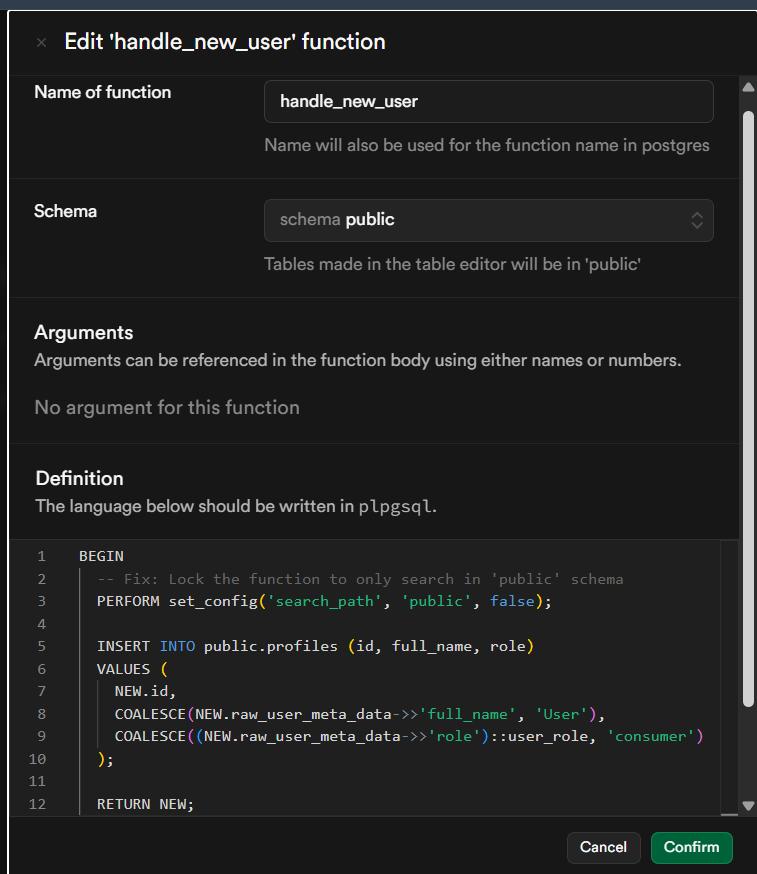
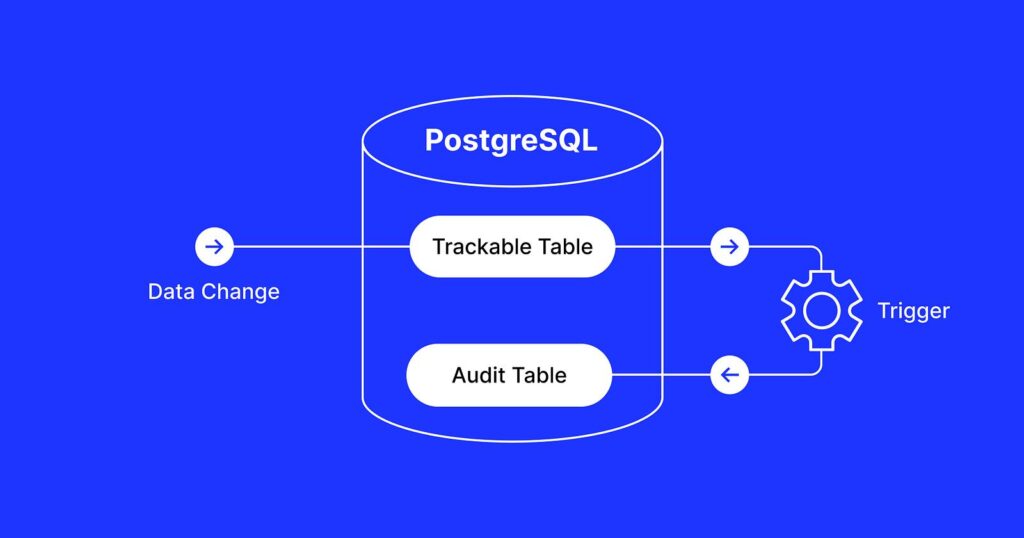
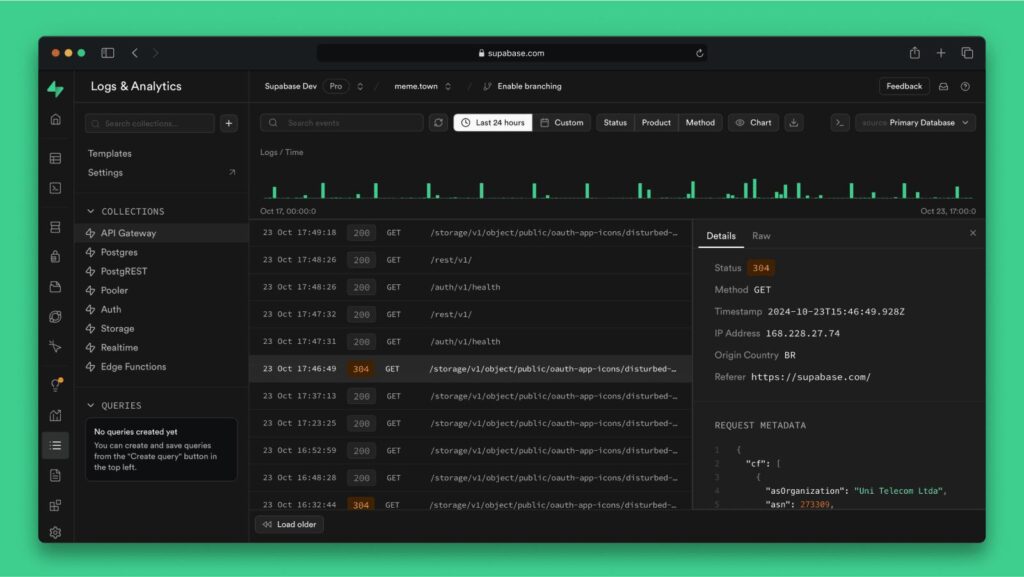
Table of Contents
- What Does “Database Error Finding User” Mean?
- How Supabase Signup Works Behind the Scenes
- The Most Common Causes
- Check Your Database Triggers
- Review PostgreSQL Functions
- Investigate Webhook Failures
- Verify Row Level Security Policies
- A Real-World Debugging Example
- Common Mistakes Developers Make
- Quick Troubleshooting Checklist
- Frequently Asked Questions
- Final Takeaway
What Does “Database Error Finding User” Mean?
When someone creates an account, Supabase doesn’t simply insert an email and password into a table and call it a day.
Several operations may occur during signup:
- A new user is created in
auth.users - Database triggers may execute
- PostgreSQL functions may run
- Profile records may be created
- Webhooks or external services may be called
- Permissions and security policies are checked
If any part of that process fails, Supabase may return:
AuthApiError: Database error finding user
The wording can be misleading because the user isn’t necessarily missing. Instead, something prevented Supabase from completing the signup process successfully.
How Supabase Signup Works Behind the Scenes
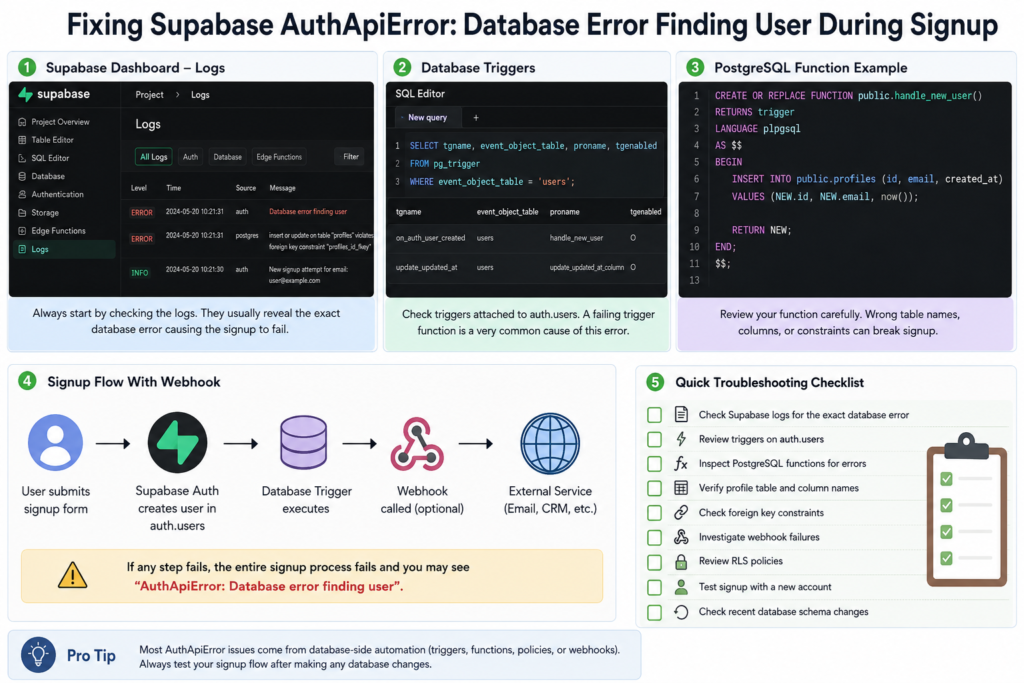
A simplified signup flow typically looks like this:
User submits signup form
          ↓
Supabase Auth creates user
          ↓
Database trigger runs
          ↓
Profile record created
          ↓
Optional webhook executes
          ↓
Signup succeeds
If any step throws a PostgreSQL error, the entire transaction may fail.
That’s why database-level debugging is usually more productive than inspecting frontend code when this error appears.
The Most Common Causes
After troubleshooting dozens of authentication issues, the same few problems tend to appear repeatedly.
1. A Trigger Is Failing
This is by far the most common cause.
Many projects automatically create a profile when a user signs up.
A typical setup looks like this:
CREATE TRIGGER on_auth_user_created
AFTER INSERT ON auth.users
FOR EACH ROW
EXECUTE FUNCTION public.handle_new_user();
If the function attached to that trigger fails, signup fails too.
Typical Reasons
- Table doesn’t exist
- Column name changed
- Required field missing
- Foreign key violation
- Function contains outdated logic
Even a minor schema update can break a trigger that has worked perfectly for months.
2. The Profile Table Doesn’t Match the Function
A common scenario occurs during development.
You create a trigger like this:
INSERT INTO profiles (id, email)
VALUES (NEW.id, NEW.email);
Weeks later, someone renames a column, adds constraints, or restructures the table.
The trigger still expects the old structure.
The next signup attempt fails.
What to Check
Verify that:
- The table exists
- Column names are correct
- Constraints allow inserts
- Required values are being provided
Small mismatches often create large authentication headaches.
3. A PostgreSQL Function Contains Hidden Errors
Many developers focus on application code but rarely review database functions.
That’s a mistake.
A single broken line inside a PostgreSQL function can stop every new user registration.
Consider this example:
CREATE FUNCTION public.handle_new_user()
RETURNS trigger
LANGUAGE plpgsql
AS $$
BEGIN
  INSERT INTO profiles(id,email)
  VALUES (NEW.id, NEW.email);

  RETURN NEW;
END;
$$;
At first glance, everything looks fine.
But if:
profileswas renamedemailno longer exists- a NOT NULL constraint was added
the function immediately fails.
Check Your Database Triggers First
Whenever this error appears, triggers should be your first stop.
In my experience, they account for the majority of cases.
Step 1: Review Active Triggers
Open the SQL Editor and run:
SELECT *
FROM pg_trigger;
Look for triggers attached to:
auth.users
Common names include:
on_auth_user_createdcreate_profile_triggerhandle_new_signup
Step 2: Inspect the Trigger Function
Identify the function being executed.
Then review it line by line.
Pay particular attention to:
- Insert statements
- Table references
- Column names
- Constraints
- Foreign keys
Most issues become obvious once you examine the actual function.
Review PostgreSQL Functions Carefully
Developers often assume that if a function saved successfully, it must be working correctly.
Unfortunately, PostgreSQL doesn’t validate every runtime scenario.
A function can compile successfully while still failing during execution.
Areas Worth Checking
Incorrect Table Names
profile
instead of
profiles
Renamed Columns
NEW.email
when the column is now:
NEW.email_address
Missing Required Data
A recently added constraint may now require values that weren’t previously necessary.
These issues are easy to miss after rapid development cycles.
Investigate Webhook Failures
If you’re using webhooks, don’t overlook them.
Many modern applications trigger additional actions after signup:
- Sending welcome emails
- Creating CRM contacts
- Syncing analytics data
- Registering billing accounts
A failed webhook can sometimes interrupt the signup process.
Common Webhook Issues
Expired API Credentials
The webhook executes successfully but the destination service returns:
401 Unauthorized
Request Timeouts
External APIs occasionally become slow or unavailable.
A timeout can cause downstream failures.
Invalid Payload Structure
An unexpected field or malformed JSON payload can break integrations that previously worked.
Where to Look
Open:
Supabase Dashboard → Logs
Review both authentication and database logs.
The exact failure often appears there.
Verify Row Level Security (RLS) Policies
RLS is another frequent source of confusion.
A policy that appears perfectly reasonable can accidentally block profile creation.
Example:
CREATE POLICY "Users can insert profile"
ON profiles
FOR INSERT
TO authenticated
USING (auth.uid() = id);
If the policy doesn’t align with how the insert occurs, signup may fail.
A Useful Test
Temporarily disable RLS on the affected table.
If signup immediately starts working, you’ve likely found the source of the problem.
Remember to re-enable RLS after testing.
Never leave production tables unsecured.
A Real-World Debugging Example
A SaaS team recently encountered this error after a routine database refactor.
Nothing had changed in the frontend.
Nothing had changed in the authentication flow.
Yet every signup request suddenly failed.
After reviewing logs, they discovered that a trigger function still referenced:
NEW.email
During the refactor, the field had been renamed to:
NEW.email_address
The function compiled successfully.
The trigger remained active.
But every new signup caused a PostgreSQL exception.
Updating a single line resolved the issue instantly.
This type of problem is surprisingly common.
Common Mistakes Developers Make
Debugging the Frontend First
The error appears during signup, so many developers immediately investigate React, Vue, Next.js, or API requests.
Most of the time, the problem is deeper in the database layer.
Ignoring Supabase Logs
Logs often reveal the exact query or function that failed.
Skipping them can turn a five-minute fix into a multi-hour debugging session.
Forgetting Trigger Dependencies
Triggers rely on:
- Tables
- Functions
- Columns
- Policies
- Extensions
Changing any dependency can break the signup flow.
Making Schema Changes Without Testing Auth
Authentication should always be tested after:
- Table modifications
- Function updates
- Trigger changes
- RLS adjustments
A quick signup test can catch problems before users do.
Quick Troubleshooting Checklist
If you’re seeing a Supabase auth database error, work through this list:
✅ Check Supabase logs
✅ Inspect triggers attached to auth.users
✅ Review trigger functions
✅ Verify profile tables exist
✅ Confirm column names are correct
✅ Check foreign key constraints
✅ Review webhook integrations
✅ Validate RLS policies
✅ Test with a newly created account
✅ Review recent database changes
Following this sequence usually identifies the root cause quickly.
Frequently Asked Questions
Why does Supabase show “Database error finding user”?
The error typically occurs when a database operation fails during signup. Common causes include broken triggers, PostgreSQL function errors, RLS policy conflicts, or failed webhook integrations.
Is the problem usually in my frontend code?
Not usually.
If the signup request is reaching Supabase successfully, the issue is often inside PostgreSQL rather than your frontend application.
Can Row Level Security cause signup failures?
Yes.
Improperly configured RLS policies can block profile creation or other database operations that occur during registration.
Where should I start debugging?
Start with Supabase logs.
They often contain the exact database error that triggered the authentication failure.
Are webhook integrations a common cause?
They can be.
While triggers and database functions cause most cases, failed webhooks are worth investigating if your signup flow interacts with external services.
Final Takeaway
The message “AuthApiError: Database error finding user” sounds like an authentication issue, but it’s usually a database issue in disguise.
The fastest path to a solution is to inspect what happens immediately after a user is created:
- Database triggers
- PostgreSQL functions
- Profile table inserts
- Webhook integrations
- RLS policies
In most cases, the culprit is a trigger or function that no longer matches the current database schema.
Whenever this error appears, resist the urge to spend hours debugging frontend code. Open your logs, inspect your database automation, and work through the signup flow step by step.
That’s where the real answer is usually hiding.
1 thought on “How to Fix Supabase AuthApiError: “Database Error Finding User” During Signup”